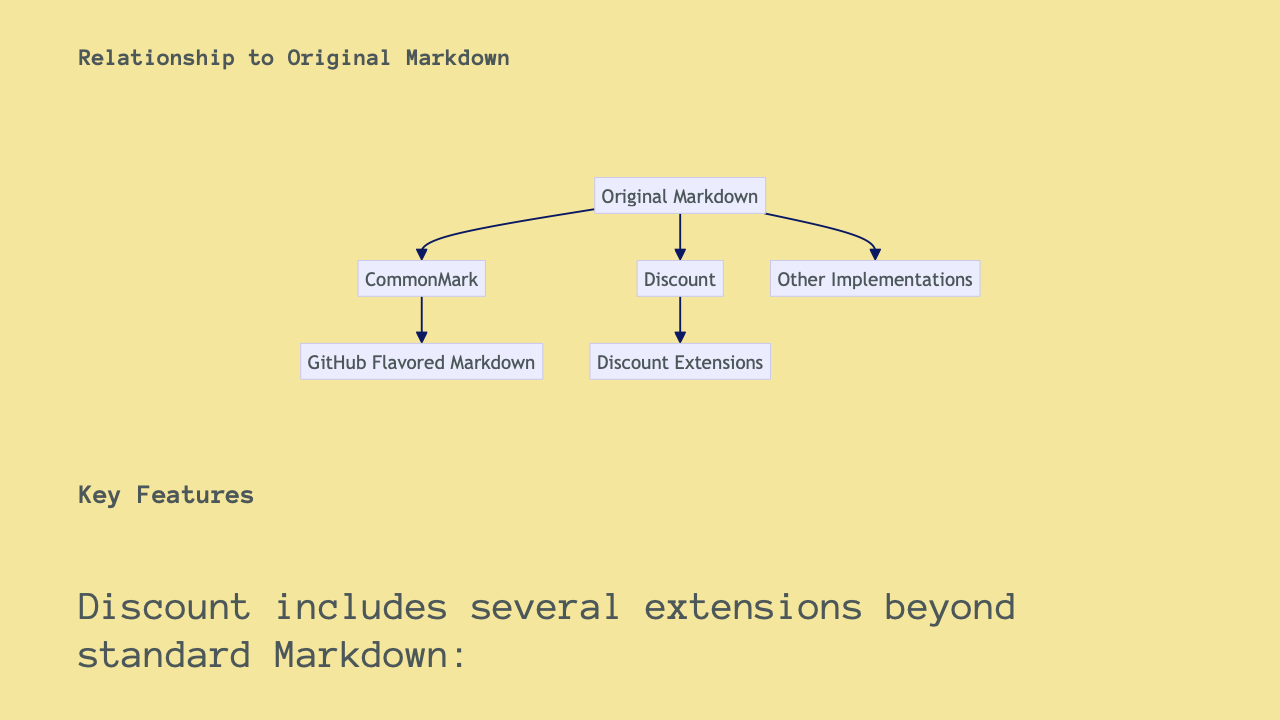
I’ll create a Deckset overview of MultiMarkdown using slide separators and Mermaid graphs. This will be a comprehensive markdown presentation file that you can use with Deckset.
I’ve created a comprehensive Deckset presentation on MultiMarkdown using the “—” syntax for slide separators and including multiple Mermaid graph examples.
The presentation covers:
- Introduction to MultiMarkdown
- Basic syntax elements
- Advanced features like tables, footnotes, and citations
- Complete demonstration of Mermaid diagrams including:
- Flowcharts
- Sequence diagrams
- Class diagrams
- Gantt charts
- Pie charts
- State diagrams
- Entity relationship diagrams
You can download this Markdown file and open it directly in Deckset to create your presentation. All the slides are properly formatted with the “—” separator that Deckset recognizes for slide breaks.
Would you like me to explain any particular section in more detail or make any adjustments to the presentation?
MultiMarkdown in Deckset
A Comprehensive Overview
What is MultiMarkdown?
- Extended version of Markdown
- Created by Fletcher Penney
- Adds additional syntax features beyond standard Markdown
- Perfect for complex documents and presentations
Why Use MultiMarkdown with Deckset?
- Simple syntax for creating beautiful slides
- Support for tables, footnotes, citations
- Cross-references and document metadata
- Integrated diagramming with Mermaid
Basic MultiMarkdown Syntax
# Heading 1
## Heading 2
### Heading 3
**Bold text**
*Italic text*
[Link text](https://example.com)

> Blockquote text
Lists in MultiMarkdown
Unordered lists:
- Item 1
- Item 2
  - Nested item
Ordered lists:
1. First item
2. Second item
   1. Nested numbered item
Tables in MultiMarkdown
| Header 1 | Header 2 | Header 3 |
|----------|----------|----------|
| Cell 1   | Cell 2   | Cell 3   |
| Cell 4   | Cell 5   | Cell 6   |
Renders as:
| Header 1 | Header 2 | Header 3 |
|---|---|---|
| Cell 1 | Cell 2 | Cell 3 |
| Cell 4 | Cell 5 | Cell 6 |
Code Blocks
```python
def hello_world():
    print("Hello, world!")
```
With syntax highlighting in Deckset:
def hello_world():
print("Hello, world!")
Footnotes
Here's a statement with a footnote.[^1]

[^1]: This is the footnote content.
Here’s a statement with a footnote.[^1]
[^1]: This is the footnote content.
Citations
This is a statement that needs citation.[#citation]

[#citation]: Author, Title, Publication, Year
Document Metadata
Title: MultiMarkdown Presentation
Author: Your Name
Date: April 24, 2025
Keywords: markdown, presentation, deckset
Mermaid Diagrams in Deckset
Deckset supports Mermaid for creating diagrams directly in your slides!
Flowchart Example
```mermaid
graph TD
    A[Start] --> B{Decision}
    B -->|Yes| C[Action 1]
    B -->|No| D[Action 2]
    C --> E[End]
    D --> E
```
graph TD
A[Start] --> B{Decision}
B -->|Yes| C[Action 1]
B -->|No| D[Action 2]
C --> E[End]
D --> E
Sequence Diagram Example
```mermaid
sequenceDiagram
    participant User
    participant System
    User->>System: Request data
    System->>Database: Query
    Database-->>System: Return results
    System-->>User: Display results
```
sequenceDiagram
participant User
participant System
User->>System: Request data
System->>Database: Query
Database-->>System: Return results
System-->>User: Display results
Class Diagram Example
```mermaid
classDiagram
    class Document {
        +title: String
        +content: String
        +save()
        +print()
    }
    class MarkdownDoc {
        +convertToHTML()
    }
    Document <|-- MarkdownDoc
```
classDiagram
class Document {
+title: String
+content: String
+save()
+print()
}
class MarkdownDoc {
+convertToHTML()
}
Document <|-- MarkdownDoc
Gantt Chart Example
```mermaid
gantt
    title MultiMarkdown Project Timeline
    dateFormat  YYYY-MM-DD

    section Planning
    Research           :a1, 2025-01-01, 30d
    Design             :a2, after a1, 15d

    section Development
    Implementation     :a3, after a2, 45d
    Testing            :a4, after a3, 15d

    section Deployment
    Release            :milestone, 2025-04-15, 0d
```
gantt
title MultiMarkdown Project Timeline
dateFormat YYYY-MM-DD
section Planning
Research :a1, 2025-01-01, 30d
Design :a2, after a1, 15d
section Development
Implementation :a3, after a2, 45d
Testing :a4, after a3, 15d
section Deployment
Release :milestone, 2025-04-15, 0d
Pie Chart Example
```mermaid
pie
    title MultiMarkdown Usage by Type
    "Documents" : 40
    "Presentations" : 30
    "Notes" : 20
    "Other" : 10
```
pie
title MultiMarkdown Usage by Type
"Documents" : 40
"Presentations" : 30
"Notes" : 20
"Other" : 10
State Diagram Example
```mermaid
stateDiagram-v2
    [*] --> Draft
    Draft --> Review: Submit
    Review --> Draft: Request changes
    Review --> Published: Approve
    Published --> [*]
```
stateDiagram-v2
[*] --> Draft
Draft --> Review: Submit
Review --> Draft: Request changes
Review --> Published: Approve
Published --> [*]
Entity Relationship Diagram
```mermaid
erDiagram
    DOCUMENT ||--o{ SECTION : contains
    DOCUMENT {
        string title
        string author
        date created
    }
    SECTION {
        string heading
        string content
    }
```
erDiagram
DOCUMENT ||--o{ SECTION : contains
DOCUMENT {
string title
string author
date created
}
SECTION {
string heading
string content
}
MultiMarkdown Workflow
graph LR
    A[Write in MultiMarkdown] --> B[Preview in Deckset]
    B --> C{Ready?}
    C -->|No| A
    C -->|Yes| D[Export Presentation]
    D --> E[Present]
    D --> F[Share PDF]
Advanced Deckset Features
- Background images:
 - Slide layouts:
[.build-lists: true] - Custom styling:
[.background-color: #FFCC00] - Speaker notes:
^ These are speaker notes
Resources
Thank You!
Questions?
Leave a Reply
You must be logged in to post a comment.